Product
Search
Finding candidates fast in your own database: search the way you're already used to
Find the right candidates again straight away with smart search options.

Darius Blaszyk
August 14, 2026
·
2 min read

Quickly and easily find the right candidate again in your own database, without complicated buttons or new systems to learn.
Here is how the newest search features make your work easier, save you time and make sure the work you already did pays off in full.
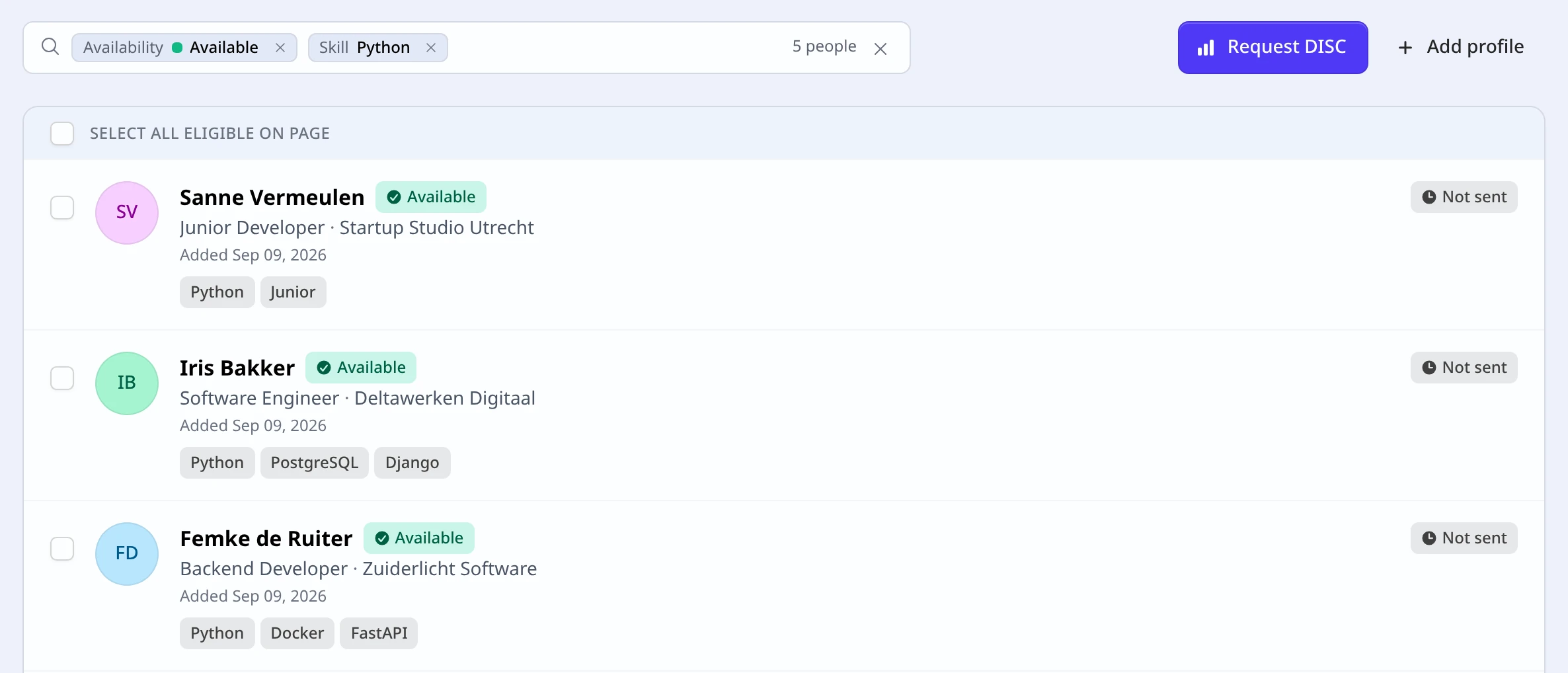
What’s new?
- Search the way you’re already used to: No complicated menus. Just type the way you do on LinkedIn or the job boards (use
+for “must contain”,-to exclude, orORfor alternatives). - One smart filter bar everywhere: Whether you’re searching candidates, jobs or tasks, the filter bar works exactly the same on every page.
- Instant results: The list adjusts itself as you type. You don’t even have to click a search button.
Why this makes your work easier
- Find that candidate from last year straight away: You’ve already put time into building your database. The new search brings those valuable candidates back up effortlessly.
- No hassle explaining things to colleagues: Want to share a filtered list with a colleague or hiring manager? Just copy the link from your address bar and send it on. They see exactly the same selection straight away.
- Nothing new to learn: The search language is the one the job boards already taught you — your existing habit simply starts working here too.
Where do you find it?
There’s nothing to set up or switch on. The new filter bar is ready and waiting for you on every list in the application. Type your search and find the right match straight away!